
The Angular forms are used to collect the data from the user. In this Angular Forms tutorial series, we look at what is Angular Forms are and in the subsequent tutorials, we will see how to use Angular Forms with sample examples.
The data entry forms can be very simple to very complex. It can contain large no of input fields, Spanning multiple tabs. Forms may also contain complex validation logic interdependent on multiple fields.
Some things forms are expected to do
Link to all article on Angular Forms
Angular forms module provides all the above services out of the box. It binds the form field to the Angular component class. It tracks changes made to the form fields so that we can respond accordingly. The Angular forms provide the built-in validators to validate the inputs. You can create your own custom validator . It presents the validation errors to the user. Finally, it encapsulates all the input fields into an object structure when the user submits the form.
Angular takes two approaches to build the forms. One is Template-driven forms approach and another one is Reactive forms or model-driven forms approach
In Template-driven approach is the easiest way to build the Angular forms. The logic of the form is placed in the template. The approach here is similar to what we did in AngularJs.
In Reactive Forms or Model-driven approach, the logic of the form is defined in the component as an object. The Model-driven approach has more benefits as it makes the testing of the component easier.
In this approach, the representation of the form is created in the component class. This form model is then bound to the HTML elements. it is done using the special markups.
Template-driven forms in Angular allows us to create sophisticated looking forms easily without writing any javascript code. The model-driven forms are created in component class, where Form fields are created as properties of our component class. This makes it easier to test.
Here is the list of tutorials on how to build a form using the template-driven approach & reactive or model-driven approach
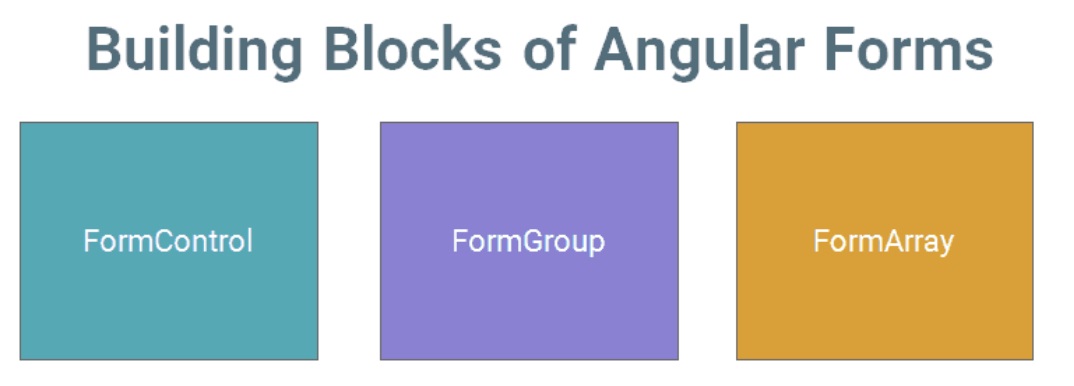
The Angular Forms module consists of three Building blocks, irrespective of whether you are using Template-driven or Reactive forms approach.
A FormControl represents a single input field in an Angular form.
Consider a simple Text input box
First Name : <input type="text" name="firstname" />
As a developer, you would like to know the current value in the Text box. You would also be like to know if the value is valid or not. If the user has changed the value(dirty) or is it unchanged. You would like to be notified when the user changes value.
The FormControl is an object that encapsulates all this information related to the single input element. It Tracks the value and validation status of each of these control
The FormControl is just a class. A FormControl is created for each form field. We can refer them in our component class and inspect its properties and methods
You can use FormControl to set the value of the Form field, find the status of form field like (valid/invalid, pristine/dirty, touched/untouched ) etc & add validation rules to it.
The above input field is created using the FormControl as shown below
let firstname= new FormControl(); //Creating a FormControl in a Reactive forms
Then, you can retrieve the current value in the input field using the value property
firstname.value //Returns the value of the first name field
You can check the validation status of the First Name element as shown below
firstname.errors      // returns the list of errors
firstname.dirty       // true if the value has changed (dirty)
firstname.touched     // true if input field is touched
firstname.valid       // true if the input value has passed all the validation
FormGroup is a collection of FormControls. Each FormControl is a property in a FormGroup. with the control name as the key.
Often forms have more than one field. It is helpful to have a simple way to manage the Form controls together.
Consider the following Form. we have three input fields street,city & Pincode.
city : <input type="text" name="city" >
Street : <input type="text" name="street" >
PinCode : <input type="text" name="pincode" >
All of the above input fields are represented as the separate FormControl. If we wanted to check the validity of our form, we have to check the validity of each and every FormControl for validity. Imagine Form having large no of fields. It is cumbersome to loop over large no of FormControls and check for validity.
FormGroup solve’s this issue by providing a wrapper interface around a collection of FormGroup A FormGroup tracks the status of each child FormControl and aggregates the values into one object. with each control name as the key
We can group these input fields under the group address as shown below
let address= new FormGroup({
    street : new FormControl(""),
    city : new FormControl(""),
    pinCode : new FormControl("")
})
In the above example, the address is our FormGroup, consisting of 3 Form Controls city, street, and Pincode. Now we can check the validity of the entire group together. For example, if the state is invalid, then the address FormGroup returns the invalid state.
You can read the value of an address using the value method, which returns the JSON object as shown below
address.value
The Return value
address {
    street :"",
    city:"",
    Pincode:""
}
You can access child control as
address.get("street")
Check the Validation status as follows
address.errors     // returns the list of errors
address.dirty      // true if the value of one of the child control has changed (dirty)
address.touched    // true if one of the child control is touched
address.valid      // true if all the child controls passed the validation
A typical Angular Form can have more than one FormGroup. A FormGroup can also contain another FormGroup.
The Angular form is itself a FormGroup
FormArray is an array of form controls. It is similar to FormGroup except for one difference. In FormGroup each FormControl is a property with the control name as the key. In FormArray is an array of form controls.
We define the FormArray as shown below
contactForm = new FormGroup( {
    name: new FormControl(''),
    cities:new FormArray([
      new FormControl('Mumbai'),
      new FormControl('Delhi')
    ])
  });
You can get the reference to the cities from the contactForm.get method
 cities() :FormArray {
    return this.contactForm.get("cities") as FormArray
  }
Check the Validation status as follows
cities.errors     // returns the list of errors
cities.dirty      // true if the value of one of the child control has changed (dirty)
cities.touched    // true if one of the child control is touched
cities.valid      // true if all the child controls passed the validation
In this tutorial, we learned what is Angular Forms all about. We looked at the basic building blocks of Angular Forms i.e. FormGroup,FormControl & FormArray. The Angular allows us to build Forms using two different approaches. One is Template Driven & another one is Reactive Forms or Model-driven. In the next few tutorials, we look at how to build Angular Forms using both of these options.
You can look at all the Angular Forms related from the Following Link
